Lapse Google Slide Template: A Modern Presentation Kit
Imagine transforming a standard business pitch or creative portfolio into a visually stunning narrative that captivates your audience from the first click. The Lapse Google Slide Template is designed to do exactly that, offering a comprehensive toolkit for anyone who values clean, modern design without the hassle of starting from scratch. This isn't just another slide deck; it's a carefully crafted presentation system built for clarity and impact.
At its core, the Lapse template provides remarkable flexibility with over 150 total slides, organized across five distinct premade color themes. Each color variation includes 30 thoughtfully designed slides, allowing you to quickly adapt the entire presentation's mood to match your brand or topic. Whether you prefer a bold, energetic palette or a subtle, professional tone, switching between themes is seamless, ensuring your message always looks cohesive.
Designed for Real-World Creative Projects
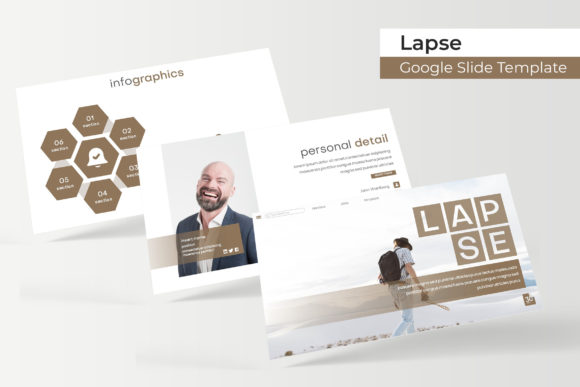
This template shines in scenarios where visual storytelling is key. It’s an excellent asset for designers preparing client proposals, marketers building campaign decks, or entrepreneurs creating investor pitches. The handcrafted infographics turn complex data into clear, engaging visuals, while dedicated section break slides help structure your narrative logically. For creatives, the gallery and portfolio slides offer a polished way to showcase work, making it ideal for photographers, architects, or graphic designers presenting their projects.
Practicality is central to its design. Every graphic is built on master slides, meaning edits are consistent and efficient across the entire presentation. Picture placeholders are fully resizable and editable, with a simple drag-and-drop functionality that saves significant time. You can easily swap in your own images without worrying about breaking the layout. The pixel-perfect illustrations ensure that every element looks crisp and professional, whether displayed on a laptop screen or a large projector.
Maximizing Your Presentation's Potential
To get the most out of a template like this, consider a few key steps. First, match the color theme to the emotional tone of your presentation—a vibrant palette might suit a product launch, while a muted one could be better for a formal report. Second, leverage the infographic slides to simplify complex information; they are designed to make data digestible and visually appealing. Third, use the portfolio slides to create a strong narrative around your work, focusing on quality over quantity to make a lasting impression.
When selecting any design asset, think about its role in your broader brand identity. A consistent visual language across presentations, social media graphics, and other materials builds recognition and trust. The Lapse template’s clean typography and balanced layouts provide a strong foundation that can complement various font pairings, whether you’re using a classic serif for headings or a modern sans-serif for body text.
The included file package is designed for immediate use. You receive five PPTX files optimized for widescreen presentations, along with a helpful readme file and links to the free fonts used in the design. This ensures you can replicate the exact look demonstrated in the previews or customize it extensively. While the preview photographs are not included, they effectively illustrate how versatile and professional your own content can appear when using this framework.
Choosing a well-structured presentation template is about more than aesthetics; it’s about efficiency and effectiveness. It allows you to focus on your content and delivery, confident that the visual foundation is solid, polished, and adaptable to your unique creative needs. A tool like this helps bridge the gap between a good idea and a great presentation.