Lovable Power Point Template: A Complete Design Toolkit
Every great idea deserves a presentation that feels just as polished and professional. If you've been searching for a way to make your slides stand out with warmth and creativity, the Lovable Power Point Template might be exactly what your next project needs.
What Makes This Template Special?
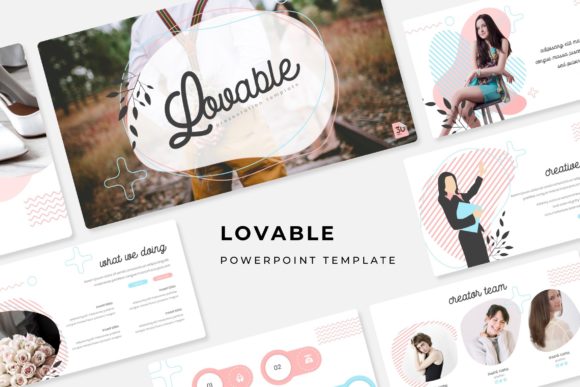
With over 150 total slides spread across five premade color themes, this template gives you serious flexibility. Each color variation includes 30 carefully designed slides, so you can switch between palettes depending on the mood or brand you're working with. Whether you prefer soft pastels, bold contrasts, or something in between, there's a version ready to go.
What really sets this collection apart is the attention to detail. Every infographic has been handcrafted specifically for PowerPoint, which means they actually work well within the software rather than feeling like awkward imports from other design tools. The section break slides help organize your content naturally, while the gallery and portfolio layouts let you showcase visuals in a clean, attractive way.
Practical Features for Real Projects
One of the biggest frustrations with presentation templates is how difficult they can be to customize. This template solves that problem with features designed for actual use:
- Resizable and editable graphics that adapt to your content
- Picture placeholders with drag-and-drop functionality
- Master slide architecture for consistent formatting
- Pixel-perfect illustrations that stay sharp at any size
The master slide system is particularly helpful if you're building presentations for clients or creating templates for a team. Make changes once, and they ripple through the entire deck automatically.
Who Benefits Most from This Template?
Creative professionals working on brand identity projects will find the color variations especially useful for presenting different directions to clients. Marketing teams can use the infographic slides to transform data into visual stories that actually engage audiences. Freelancers building portfolio presentations will appreciate the gallery layouts that let work speak for itself.
Small business owners who need to create pitch decks, investor presentations, or client proposals will also find tremendous value here. Instead of starting from scratch each time, you have a polished foundation that makes every presentation look professionally designed.
Getting Started
The package includes five PPTX files in widescreen format, each representing a different color theme. A readme file walks you through setup, and the fonts used in the design are available for free download through the included links. This means you won't run into missing font issues when you open the files on your computer.
Keep in mind that the photographs shown in preview images are for illustration purposes only and aren't included in the download. However, the picture placeholders make it simple to drop in your own images, whether they're product photos, team headshots, or custom graphics.
Making the Most of Your Investment
Before diving into customization, spend a few minutes reviewing all the available slides. You might discover layouts you hadn't considered that could strengthen your presentation structure. Test how the different color themes feel with your actual content before settling on one direction.
The drag-and-drop picture placeholders save enormous amounts of time, especially when you're working with multiple images. Rather than manually sizing and positioning each photo, simply drag your file into the designated area and let the template handle the rest.
A well-designed presentation template does more than just look good. It builds confidence in your message, keeps audiences engaged, and reflects the care you put into your work. When your slides feel cohesive and professionally crafted, people pay attention to what you're saying rather than getting distracted by inconsistent formatting or cluttered layouts.
Choosing the right design assets for your creative toolkit makes every future project a little easier to start and a lot more impressive to deliver.