Glap Google Slide Template: 150+ Slides for Professional Presentations
Imagine opening your next presentation deck and knowing every slide will look polished, professional, and perfectly consistent. That's exactly what the Glap Google Slide Template delivers. With over 150 handcrafted slides, five premade color variations, and a suite of design-ready features, this template is built for creators who need to impress—fast.
Why This Template Stands Out
Whether you're pitching a client, teaching a workshop, or showcasing a portfolio, presentation design often feels like a bottleneck. You either spend hours tweaking layouts or settle for generic templates that don't reflect your brand. Glap solves this by offering 30 slides for each of its five color themes, giving you variety without sacrificing visual harmony.
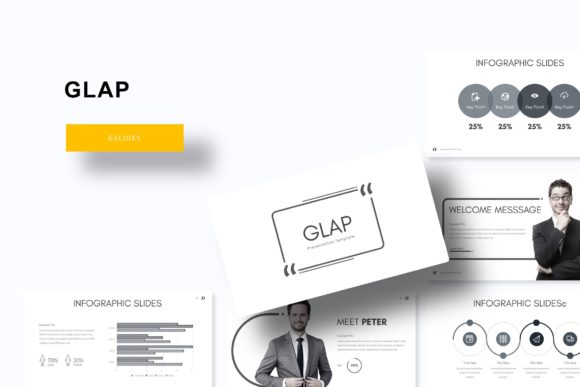
Every slide is pixel-perfect, meaning elements align cleanly and graphics stay sharp on any screen. The handcrafted infographics turn complex data into clear, engaging visuals—no design degree required. And because everything is built on master slides, edits are fast and consistent. Change a color, swap a font, or update a logo once, and it cascades through your entire deck.
Practical Features for Real Projects
What makes Glap particularly useful is how it adapts to different workflows. The resizable and editable graphic placeholders let you drag and drop your own images directly into the layout. No more cropping headaches or awkward resizing. The section break slides help organize longer presentations, while the dedicated gallery and portfolio slides are perfect for creatives who need to showcase visual work.
If you're building a brand identity or preparing client deliverables, having a cohesive set of design assets matters. This template functions like a premium design toolkit—think of it as a typeface for your slides. Just as a well-chosen serif or sans serif font sets the tone for editorial design or packaging, Glap's clean typography and modern layouts establish credibility and style.
Who Benefits Most from Glap?
This template is ideal for professionals who regularly create visual materials. Consider these use cases:
- Freelance designers building client presentations or brand guidelines
- Marketing teams developing campaign decks or social media graphics
- Entrepreneurs pitching investors or presenting product roadmaps
- Educators and trainers designing workshop materials or course content
- Photographers and artists curating digital portfolios
The five premade color variations make it easy to match different brand palettes or project moods. Each color theme includes 30 slides, so you're not just getting a handful of layouts—you're getting a full system. The included readme file and free font download link mean you can get started immediately without hunting for assets.
Tips for Getting the Most Out of Your Template
Before diving in, take a moment to plan your presentation structure. Identify your key sections—introduction, data, portfolio, conclusion—and assign slides accordingly. The section break slides are perfect for creating visual pauses and guiding your audience through the narrative.
When customizing, start with the master slides to set your global styles. Adjust colors, fonts, and logo placement there first. This ensures consistency across all 150+ slides and saves you from repetitive edits. Test font pairings if you're incorporating your brand's typeface—pairing a bold display font with a clean sans serif often works well for headings and body text.
Remember that the photographs and graphics shown in previews are for illustration only and aren't included. Plan to source your own images, or use the placeholder frames to insert your brand visuals, product shots, or team photos. The drag-and-drop functionality makes this process intuitive, even for those less familiar with presentation software.
Design Flexibility Without the Complexity
One of the strengths of Glap is how it balances structure with flexibility. The handcrafted infographics aren't just decorative—they're functional. Use them to visualize timelines, processes, statistics, or comparisons. The pixel-perfect illustrations add polish without requiring additional design work.
Because the template is based on master slides, you maintain full control over every element. Resize graphics, adjust layouts, or remove sections entirely. The widescreen format ensures your presentation looks sharp on modern displays, from conference room screens to laptop monitors.
Choosing the right design assets—whether a font, a template, or a color palette—directly impacts how your audience perceives your work. A well-designed presentation template like Glap doesn't just save time; it elevates your message. It brings the same attention to detail you'd expect from a premium typeface or a carefully curated brand identity. When your visuals are consistent and professional, your ideas land with greater clarity and impact.
If you're looking for a presentation template that combines variety, quality, and ease of use, Glap is worth exploring. Its thoughtful design and practical features make it a valuable addition to any creative toolkit—helping you present your best work, every time.